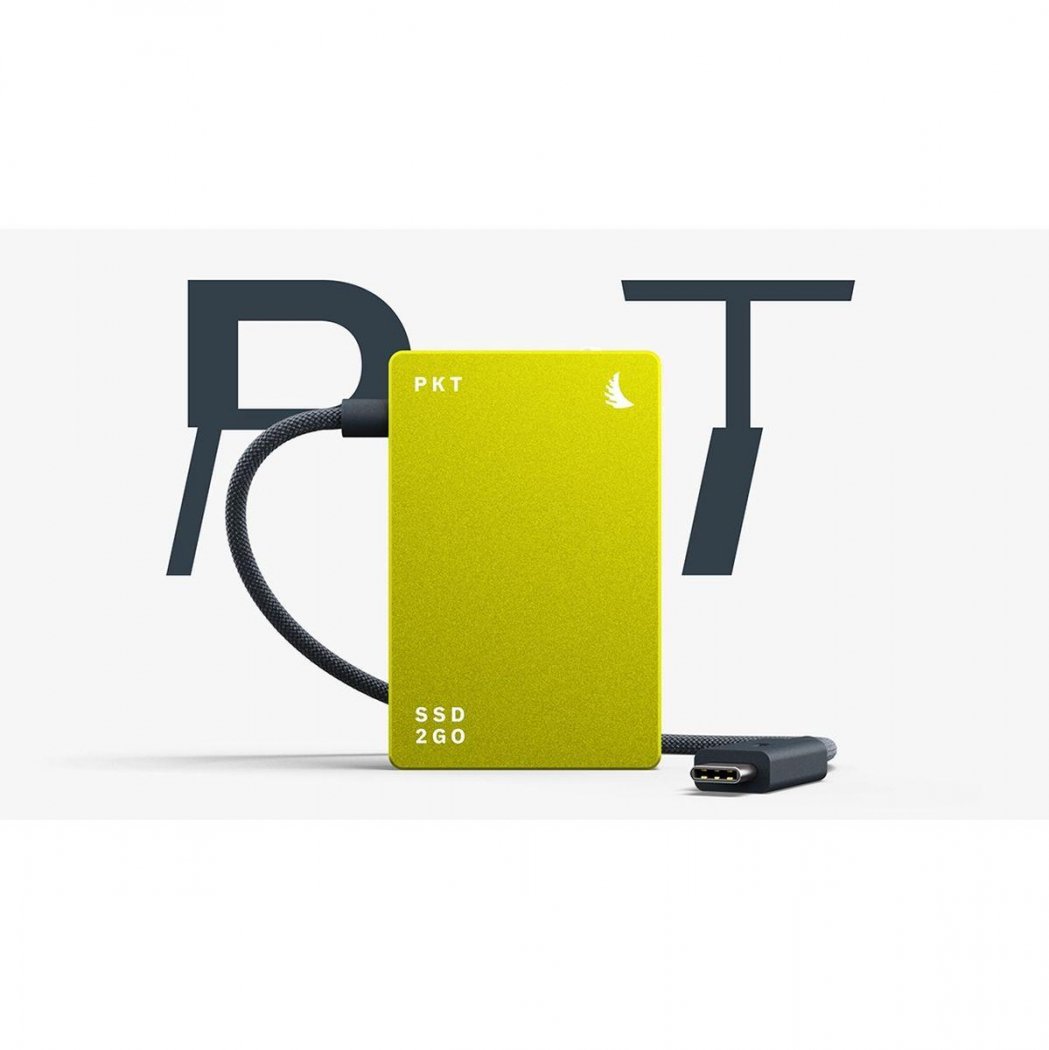
Hi everyone,I use an Atomos Ninja+ for recording to write ProRes files. The SSD has a capacity of 2TB. So far, I haven't had any issues—everything works perfectly.When I first received the SSD, the Atomos Ninja didn’t recognize it. After formatting it on my computer, the Ninja+ recognized it, and I was able to write to it and read from it on my computer. Like any advantage, this data format also has a drawback. The advantages: The frames aren’t compressed individually, so they’re read very quickly by the editing software, allowing for smoother editing and color grading. The dynamic range—from dark to light—is significantly expanded. In color grading, the editing possibilities are significantly increased because the data from the camera is transferred uncompressed to the SSD via the Atomos Ninja+.And that brings us to the first drawback: no noise reduction takes place; it must always be performed in the editing software. Another drawback is the vastly greater storage requirement compared to saving to a CF-Express card using the camera’s internal codec.I also have to be more careful with the exposure settings when shooting. Otherwise, it’s easy for dark areas of the image, for example, to lose detail. To assess this better, I use the Ninja+’s monitor in addition to the camera’s monitor, as well as a larger monitor directly in front of me. This is very useful. Large files also mean I have to meet the high storage requirements. 1 TB is used up quickly, and the total backup then amounts to 2 TB. So I have to weigh my options. When should I record in ProRes, and when should I use the camera’s codec? Not every project requires ProRes; for the most part, I choose the camera’s codec. But when I’ve recorded in ProRes, it’s definitely great to edit in that format.Greetings to all,Peter Wthaner
Hallo Alle,
ich nutze für die Aufnahme einen Atomos Ninja+ um ProRes-Dateien zu schreiben. Die SSD hat eine Kapazität von 2TB. Bisher hatte ich keinen Ausfall, alles funktioniert perfekt.
Als ich die SSD erhielt, wurde sie zwar nicht vom Atomos Ninja erkannt. Nach der Formatierung im Rechner wurde sie vom Ninja+ erkannt und konnte beschrieben und wurde am Rechner gelesen.
Wie jeder Vorteil, hat auch das Datenformat einen Nachteil. Die Vorteile: Die Frames werden nicht einzeln komprimiert und werden mit dem Schnittprogramm dadurch sehr schnell gelesen, es kann flüssiger beim Schnitt und Color-Grading gearbeitet werden. Der Bereich von Dunkel bis Hell ist deutlich ausgeweitet. Im Color-Grading sind die Bearbeitungsmöglichkeiten erheblich gesteigert, denn: die Daten aus der Kamera werden unkomprimiert an die SSD über den Atomos Ninja+ weitergeleitet.
Und damit sind wir bei dem ersten Nachteil: es findet keine Noise Reduction statt, sie muss immer im Schnittprogramm stattfinden. Weiterer Nachteil ist der enorm größere Speicherbedarf gegenüber dem Speichern auf eine CF-Express Karte mit dem internen Codec der Kamera.
Auch muss ich bei der Belichtung für die Aufnahme sorgfältiger vorgehen. Ansonsten kann es leicht geschehen, dass z.B. dunkle Bereiche des Bildes keine Zeichnung mehr erhalten. Um das besser einzuschätzen nutze ich neben dem Monitor der Kamera den Monitor des Ninja+ und zusatzlich einen größeren Monitor direkt vor mir. Das ist sehr nützlich.
Große Dateien bedeuten auch, ich muss den große Speicherbedarf decken. 1 TB ist schnell verbraucht und es fallen dann für das Backup insgesamt 2 TB ins Gewicht.
Ich muss deshalb abzuwägen. Wann nehme ich in ProRes auf und wann im Codec der Kamera? Nicht jedes Projekt benötigt ProRes, in der Hauptsache wähle ich Codes's der Kamera.
Doch wenn ich in ProRes aufgenommen habe, dann ist es schon sehr gut, dieses Format zu bearbeiten.
Gruß an Alle
Peter Wthaner
Your opinion counts! Are you satisfied with this product? Write a short review and help others to find a suitable product!
Rate productHi everyone,I use an Atomos Ninja+ for recording to write ProRes files. The SSD has a capacity of 2TB. So far, I haven't had any issues—everything works perfectly.When I first received the SSD, the Atomos Ninja didn’t recognize it. After formatting it on my computer, the Ninja+ recognized it, and I was able to write to it and read from it on my computer. Like any advantage, this data format also has a drawback. The advantages: The frames aren’t compressed individually, so they’re read very quickly by the editing software, allowing for smoother editing and color grading. The dynamic range—from dark to light—is significantly expanded. In color grading, the editing possibilities are significantly increased because the data from the camera is transferred uncompressed to the SSD via the Atomos Ninja+.And that brings us to the first drawback: no noise reduction takes place; it must always be performed in the editing software. Another drawback is the vastly greater storage requirement compared to saving to a CF-Express card using the camera’s internal codec.I also have to be more careful with the exposure settings when shooting. Otherwise, it’s easy for dark areas of the image, for example, to lose detail. To assess this better, I use the Ninja+’s monitor in addition to the camera’s monitor, as well as a larger monitor directly in front of me. This is very useful. Large files also mean I have to meet the high storage requirements. 1 TB is used up quickly, and the total backup then amounts to 2 TB. So I have to weigh my options. When should I record in ProRes, and when should I use the camera’s codec? Not every project requires ProRes; for the most part, I choose the camera’s codec. But when I’ve recorded in ProRes, it’s definitely great to edit in that format.Greetings to all,Peter Wthaner
Review automatically translated! Show originalHallo Alle,
ich nutze für die Aufnahme einen Atomos Ninja+ um ProRes-Dateien zu schreiben. Die SSD hat eine Kapazität von 2TB. Bisher hatte ich keinen Ausfall, alles funktioniert perfekt.
Als ich die SSD erhielt, wurde sie zwar nicht vom Atomos Ninja erkannt. Nach der Formatierung im Rechner wurde sie vom Ninja+ erkannt und konnte beschrieben und wurde am Rechner gelesen.
Wie jeder Vorteil, hat auch das Datenformat einen Nachteil. Die Vorteile: Die Frames werden nicht einzeln komprimiert und werden mit dem Schnittprogramm dadurch sehr schnell gelesen, es kann flüssiger beim Schnitt und Color-Grading gearbeitet werden. Der Bereich von Dunkel bis Hell ist deutlich ausgeweitet. Im Color-Grading sind die Bearbeitungsmöglichkeiten erheblich gesteigert, denn: die Daten aus der Kamera werden unkomprimiert an die SSD über den Atomos Ninja+ weitergeleitet.
Und damit sind wir bei dem ersten Nachteil: es findet keine Noise Reduction statt, sie muss immer im Schnittprogramm stattfinden. Weiterer Nachteil ist der enorm größere Speicherbedarf gegenüber dem Speichern auf eine CF-Express Karte mit dem internen Codec der Kamera.
Auch muss ich bei der Belichtung für die Aufnahme sorgfältiger vorgehen. Ansonsten kann es leicht geschehen, dass z.B. dunkle Bereiche des Bildes keine Zeichnung mehr erhalten. Um das besser einzuschätzen nutze ich neben dem Monitor der Kamera den Monitor des Ninja+ und zusatzlich einen größeren Monitor direkt vor mir. Das ist sehr nützlich.
Große Dateien bedeuten auch, ich muss den große Speicherbedarf decken. 1 TB ist schnell verbraucht und es fallen dann für das Backup insgesamt 2 TB ins Gewicht.
Ich muss deshalb abzuwägen. Wann nehme ich in ProRes auf und wann im Codec der Kamera? Nicht jedes Projekt benötigt ProRes, in der Hauptsache wähle ich Codes's der Kamera.
Doch wenn ich in ProRes aufgenommen habe, dann ist es schon sehr gut, dieses Format zu bearbeiten.
Gruß an Alle
Peter Wthaner
Discover our recommendations for camping and "van life" now!


Simply subscribe and receive weekly updates and offers on photography and video equipment.